
 Now Installable
Wellness
In Your Pocket.
Install once for instant access to your courses, certificates, and rewards — no app store required.
Why Install It?
Same account, same content — just faster to get to and easier to use every day.
One tap to install
No app store, no download wait. Add it to your home screen straight from your browser in seconds.
Goes straight to your dashboard
Students and subscribers land on their courses. Group Leaders land on their group tools. Automatically.
Scan certificates instantly
Group Leaders can scan a certificate QR code with their camera and get instant confirmation — sound, vibration, and an on-screen flash.
Always up to date
When something new ships, you'll see a simple banner to refresh — never an unexpected reload in the middle of something.
How To Install
Pick your device — it only takes a few taps.
While on this screen, tap the iPhone's SHARE button (It's the square with an arrow on top).
Can't see it? Scroll up a little, or tap the bottom of the screen once, and the buttons come back.

It should be the middle button at the bottom of your screen. On an iPad it may be at the top of your screen on the right side.
When the SHARE button opens, tap the View More icon or scroll up until you see the "Add to Home Screen" option.
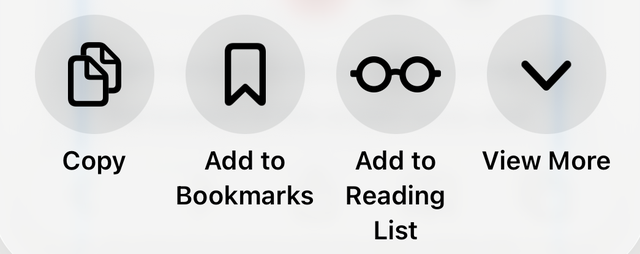
Tap Add to Home Screen.

Tap Add at the top right.

Close the Safari browser and find the new SWS logo on the device's home screen. Click it to begin.
Open the site in Chrome
Go to studentwellnesssolutions.com.
Look for the install prompt
Chrome often shows an "Add to Home screen" or "Install app" banner automatically.
Or use the menu
Tap the ⋮ (three dots) in the top right, then "Add to Home screen" or "Install app."
Tap "Install"
The app icon now appears on your home screen, ready to launch anytime.
Common Questions
Do I need to download this from the App Store or Google Play?
No. It installs directly from your browser in a few taps — no app store required.
Will it take up much space on my phone?
No. It's extremely lightweight compared to a typical downloaded app.
Do I have to log in again after installing?
The first time you open the installed app you may need to log in — after that you'll stay signed in, just like you do now.
What if I don't want to install it?
No problem — the regular website keeps working exactly as it does today. Installing is optional; it just adds a faster, more convenient way in.
Does this work on both iPhone and Android?
Yes — plus desktop and laptop computers. The steps are slightly different on each, so use the instructions above for your device.
I'm a Group Leader — will I still be able to scan certificates?
Yes — once installed, just tap "Scan QR Code" from your dashboard to use your camera and redeem certificates on the spot.
Ready To Get Started?
Install the app and your courses, certificates, and rewards are always one tap away.